Story code: ST-001276
Part 1: The Helper’s Mistake
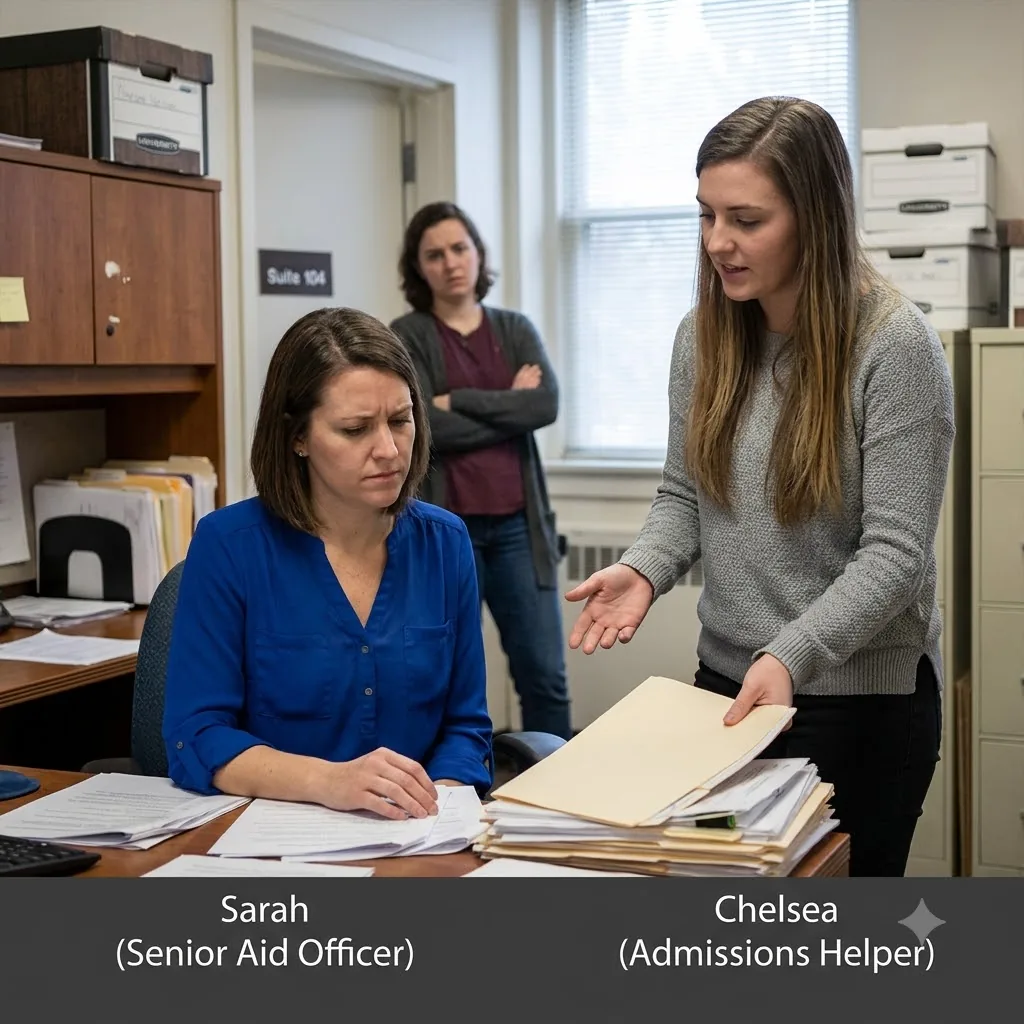
Inside Admissions and Student Aid Suite 104, I watched Chelsea, our new admissions helper, drop another high-priority file onto Sarah’s desk, claiming that the legacy database wouldn’t link the recommendation letters. It was the third time today Chelsea had “accidentally” locked a student out of the aid queue, forcing Sarah, a tenured officer who had processed these files for a decade, to abandon her own workload to clean up the mess. The ambient clatter of keyboards and ringing phones faded whenever Chelsea stood over Sarah’s shoulder, wearing a helpless smile while Sarah took on the heavy burden of fixing the corrupted system records.
From my intake terminal desk, I had a clear view of both their monitors. Sarah’s screen was constantly filled with override prompts, while Chelsea’s terminal showed the entry portal for the gold-sealed recommendation packet for the Dean’s list scholar-a critical file with a heavy foil seal that needed immediate routing. Chelsea tapped her chin, stared at the screen, and sighed loudly, her fingers hovering uselessly over the keys.
“Sarah, it’s doing that weird flickering thing again,” Chelsea said, her voice dropping into a soft, defensive register. “I tried to save the PDF link, but the system just kicked me out. I don’t want to ruin the Dean’s scholar file.”
Sarah didn’t look up from her own keyboard, which was stacked high with unprocessed folders. “Just use the standard intake wizard, Chelsea. It’s three steps.”
“I did,” Chelsea said. She clicked her mouse repeatedly, a rapid, frantic sound that echoed in the small office. “It’s not working. I think I broke the link. Can you just log in and do it? I’m so bad at this legacy software. I don’t want to get blamed if this packet gets lost in the queue.”
Sarah finally pushed her chair back. Her shoulders were visibly tense. She walked over, scanned Chelsea’s screen, and typed in her own senior administrator credentials. Within thirty seconds, Sarah had bypassed the error, uploaded the recommendation packet, and saved the record. Chelsea watched Sarah’s fingers closely, her eyes tracking the sequence of keys.
“Thank you so much,” Chelsea said, offering a small, subservient nod. “You make it look so easy. I’ll never get the hang of this database.”
She went back to her desk. But minutes later, when Sarah walked down the hall to the copy room, Chelsea’s posture changed. The slumped, tentative shoulders squared. I watched her hands hover over her keyboard. Her fingers didn’t search for keys; instead, they moved with a precise, rhythmic speed. Without looking at her mouse, she executed a sequence of legacy system shortcuts-including the advanced Ctrl+Alt+F12 and F4 commands to clear terminal caches-clearing her screen and opening a background diagnostic window in under two seconds.
When Sarah’s footsteps sounded in the hallway, Chelsea’s fingers immediately slowed. Her shoulders slumped again, and she stared blankly at a static screen, her face resetting into a mask of mild confusion.
Inside Admissions and Student Aid Suite 104, I watched Chelsea, our new admissions helper, drop another high-priority file onto Sarah’s desk, claiming that the legacy database wouldn’t link the recommendation letters. It was the third time today Chelsea had “accidentally” locked a student out of the aid queue, forcing Sarah, a tenured officer who had processed these files for a decade, to abandon her own workload to clean up the mess. The ambient clatter of keyboards and ringing phones faded whenever Chelsea stood over Sarah’s shoulder, wearing a helpless smile while Sarah took on the heavy burden of fixing the corrupted system records.
From my intake terminal desk, I had a clear view of both their monitors. Sarah’s screen was constantly filled with override prompts, while Chelsea’s terminal showed the entry portal for the gold-sealed recommendation packet for the Dean’s list scholar-a critical file with a heavy foil seal that needed immediate routing. Chelsea tapped her chin, stared at the screen, and sighed loudly, her fingers hovering uselessly over the keys.
“Sarah, it’s doing that weird flickering thing again,” Chelsea said, her voice dropping into a soft, defensive register. “I tried to save the PDF link, but the system just kicked me out. I don’t want to ruin the Dean’s scholar file.”
Sarah didn’t look up from her own keyboard, which was stacked high with unprocessed folders. “Just use the standard intake wizard, Chelsea. It’s three steps.”
“I did,” Chelsea said. She clicked her mouse repeatedly, a rapid, frantic sound that echoed in the small office. “It’s not working. I think I broke the link. Can you just log in and do it? I’m so bad at this legacy software. I don’t want to get blamed if this packet gets lost in the queue.”
Sarah finally pushed her chair back. Her shoulders were visibly tense. She walked over, scanned Chelsea’s screen, and typed in her own senior administrator credentials. Within thirty seconds, Sarah had bypassed the error, uploaded the recommendation packet, and saved the record. Chelsea watched Sarah’s fingers closely, her eyes tracking the sequence of keys.
“Thank you so much,” Chelsea said, offering a small, subservient nod. “You make it look so easy. I’ll never get the hang of this database.”
She went back to her desk. But minutes later, when Sarah walked down the hall to the copy room, Chelsea’s posture changed. The slumped, tentative shoulders squared. I watched her hands hover over her keyboard. Her fingers didn’t search for keys; instead, they moved with a precise, rhythmic speed. Without looking at her mouse, she executed a sequence of legacy system shortcuts-including the advanced Ctrl+Alt+F12 and F4 commands to clear terminal caches-clearing her screen and opening a background diagnostic window in under two seconds.
When Sarah’s footsteps sounded in the hallway, Chelsea’s fingers immediately slowed. Her shoulders slumped again, and she stared blankly at a static screen, her face resetting into a mask of mild confusion.